Tuesday, June 9, 2015

Another Dollar Tree Cake Carrier

Had so much fun decorating the top of the other Dollar Tree Cake Carrier that I decided to decorate another!


Once again, I used an image from the Suburbia cart. I did alter it a bit to give the apron a belt and bow and I added the pearls and cupcakes. The cute saying is the Armonioso font. The hot pink and green vinyl are from the Cricut "Brights" Vinyl Sampler pack.


I have one more of these cake carriers and I think I will decorate it too!

Saturday, June 6, 2015

Wedding Flower Petal Keepsake


The daughter of our long, long time friends got married a couple of months ago. I kept lots of "things" from the wedding and reception to make keepsakes for the bride {and her mom}. One of the things I kept was roses from the tables at the reception. Once they were dried, I knew I wanted to make a little framed keepsake, but couldn't quite find the materials I wanted to use. Rachel is a more down-to-earth girl and I wanted the keepsake to reflect the colors and textures she used for her wedding. Then, Cricut introduced Printable Fabric!
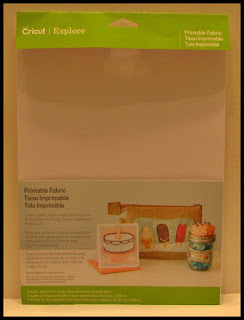

I purchased a cute little 4 x 4 inch square from at Michaels {only $3.99} and was able to quickly design my project in Design Space. I use a free square and heart and sized and positioned them on the canvas. I added the text using Lavanderia Sturdy font. And then, with the help of my techy son using Gimp, he got the hex color code from her bridesmaid's dress. I inserted the hex color code in the color picker for the square and choose a darker share for the text. Then, it was off to print on my home printer and loaded onto the mat to cut with my Explore. Not only was I able to get the fabric texture for my project, but I was able to get the exact color I wanted!


The fabric cut beautifully! The edges were clean and crisp. It is a nice weight and has an adhesive backing which makes it each to get a smooth application to your projects. I did cut 2 from the one 8.5 x 11 sheet so her mom could have one too!


Then I took a 4 x 4 piece of cardstock and covered part of it with my ATG. I randomly stuck the flower petals to the tape.


And then covered the flowered cardstock square with the printed fabric square and placed them in the frame. The results were too cute. The reflection from the glass distorted the color but in person, it looks cute and you can see the texture of the fabric. I can't wait to give these to the bride and her mom!


And, a little bonus. . .I have he two fabric hearts, from the cutouts, to use for another project! Whatever will I make with them?

Friday, June 5, 2015

Dollar Tree Cake Carrier Gets Dressed Up

My daughter loves to bake and not only do we love that, but so do the people at her office! She often will bake just to try new recipes and take them into to her co-workers. She had been using left-over bakery containers. I found the somewhat elusive cake carriers at Dollar Tree and decided to get her one. But. . . it was so plain!

Never fear. . .a little vinyl and my Cricut Explore took care of that! I logged into Design Space and began searching for images. I found the {almost} perfect image on the Suburbia cart. It was a two layer design but with the slice feature, I was able to make the note pad more prominent. My daughter is a big list maker and always has a grocery list and notes with her recipes!


I also added the pearl necklace. . .just to make it a bit more retro! I found the saying on a kitchen towel set while surfing the net and it was perfect! I was able to use a circle the size of the top of the carrier and plan my design. The Explore cut the vinyl, including the small letters, without a problem. Then it was just a matter of weeding away the unwanted vinyl, using transfer tape and applying the design to the cake carrier.


My daughter loved it and her co-workers got a big kick out of it too! It's amazing what a little vinyl can do to a one dollar item!

Thursday, June 4, 2015

Black Pen Variety Pack from Cricut

A big request from Cricut Explore owners has been for good quality black pens to use with the writing feature. Cricut has releases a Variety Pack of black pens today! These packs have been popping up in various Michael's stores for the past weeks, but they have officially been launched on cricut.com today.


The package contains 5 black pens. Two fine point, one medium point and two calligraphy point pens.

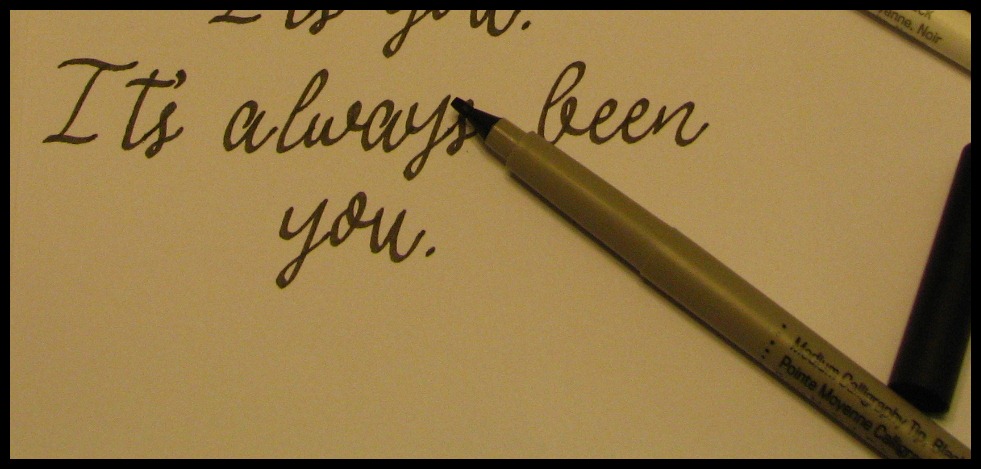
And here's a sample of the different pens writing the same sentiment.


The card sentiments from the Anna Griffin carts look great when written with the calligraphy pen!


And with the features of Design Space and the Explore, you can use multiple pens in one project. You can set some of the text to different colors and Design Space will prompt you to change the pen or you can pause your Explore as desired and change the pen. This example is from the Word Collage cart.


You can also use the pens to draw your images. These examples are from the Pretty Packages cart.


Overall, I found the pens to write/draw nicely and having a selection of different pen tips allows more creativity when using the pen feature. And of course, black pens tend to be the color ink I use the most, so having a pack of all black pens makes this a must-have for me!

Monday, June 1, 2015

New Design Space App for the iPhone!

Cricut has done it again! Today they have announced a new iphone app for Cricut Design Space will be coming soon! How exciting for those users who have an iphone!


The iphone app will look and function very similar to the ipad app. But there is one very exciting new feature. . .the use of the camera! You can create your design like usual and then use the camera to show your design on your project!

This is a screenshot of Narelle's design in the iphone app.


And this is how it would look on her wall! Yes, that's her actual wall! Imagine being able to see your design on your actual tile or pillow or tumbler or whatever!


Narelle has been beta testing the iphone app, so go check out her blog for more details!
http://www.thenoncraftycrafter.com/

But what if you don't have an iphone like me? No worries! Cricut has begun development of android apps for Design Space. I don't know when, but they are being developed!

So go forth and Cricut Everywhere!

Saturday, April 18, 2015

How to Make Design Space work after the Google Chrome Update

On Thursday, April16, Google Chrome started rolling out a new version update. This new version from Google has dropped your Design Space plugin. Here are a few quick and easy steps to check your version and restore the plugin.
1. Open Google Chrome.
2. In the upper right corner, click on the menu icon (it looks like three horizontal bars).
3. Choose “About Google Chrome” from the drop-down menu.
4. Check your version.
a. If it is version 42.0.2311.90, continue with step 5.
b. If your version is lower than 42.0.2311.90, wait for the update to complete then move on to step 5. (Make sure to “allow” if your computer gives you a prompt. You may also need to refresh your browser to see the update.)
5. Copy and paste chrome://flags/‪#‎enable‬-npapi into your address bar.
6. You will see “Enable NPAPI” highlighted. Click “enable”.
7. Now you are ready to go back to Design Space. You will be prompted to reload your plugin.


Thursday, April 2, 2015

Personalized Plastic Eggs


Just a quick little vinyl project for my nephew for Easter! He loves having his name on anything and everything so it was fun to add this little bunny and his name. The image was made from shapes in the Cricut Image Library and it's cut from vinyl with my Cricut Explore.

He was thrilled when he got it. . .I'm not sure if it was because his name was on it or if it was the big bag of jelly beans in it!